Making AI safe and simple for everyone at work
A unified set of four enterprise GenAI tools (Content Assistant, Text Summarizer, Excel Analyzer, PPT Assistant), designed so employees can use AI easily without exposing personal data.
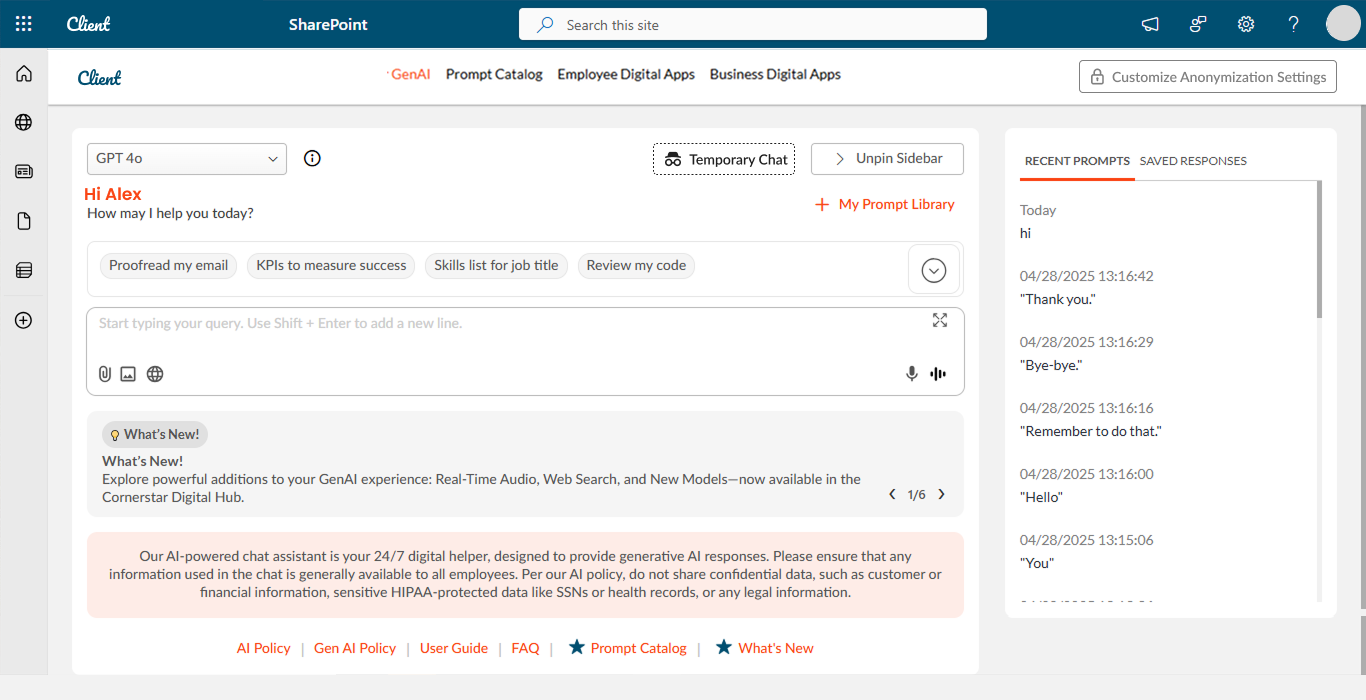
The GenAI experience inside the enterprise digital workplace.
Lead UI/UX Designer (UX, interaction design, UI, and React prototypes of UI components)
Team of five (2 designers, developer, team manager, project manager)
1 year
Four tools designed, built and released
Context and business problem
Employees were using public AI tools for everyday work, which put personal and company data at risk. There was no single place to do AI tasks, and much of the writing, summarising and analysis was repetitive manual work. The company needed a safe, simple way to start using AI.
Who I designed for
Employees across teams who write content, summarise text, analyse Excel data and prepare presentations.
Research and discovery
- Talked to employees and teams about how they did these tasks today
- Mapped their current workflows
- Analysed existing AI tools to see where they were confusing or unsafe
Design decisions
The anonymization settings let people use AI without exposing personal data, and a short AI policy notice sits right under the input as a reminder.
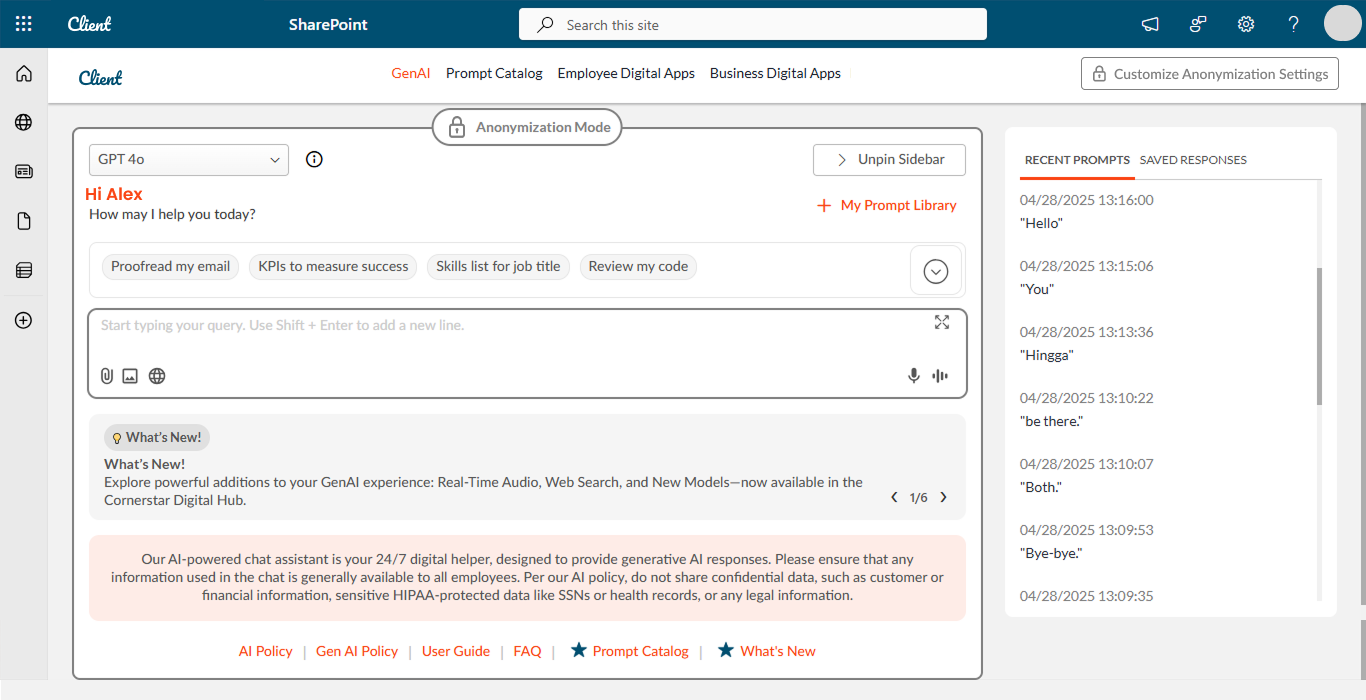
Anonymization settings with the AI policy notice under the input.
The suggested prompts moved from a modal popup to chips above the text area. Users see relevant starting points the moment they land and can start in one click without losing their place. A “My Prompt Library” link gives the same shortcut to saved prompts.
Suggested prompts as chips above the text area, with the My Prompt Library shortcut.
I designed the interactions and flows so each tool follows the same simple, user friendly pattern, and added a temporary chat option, a model selector, and recent prompts and saved responses in a side panel.
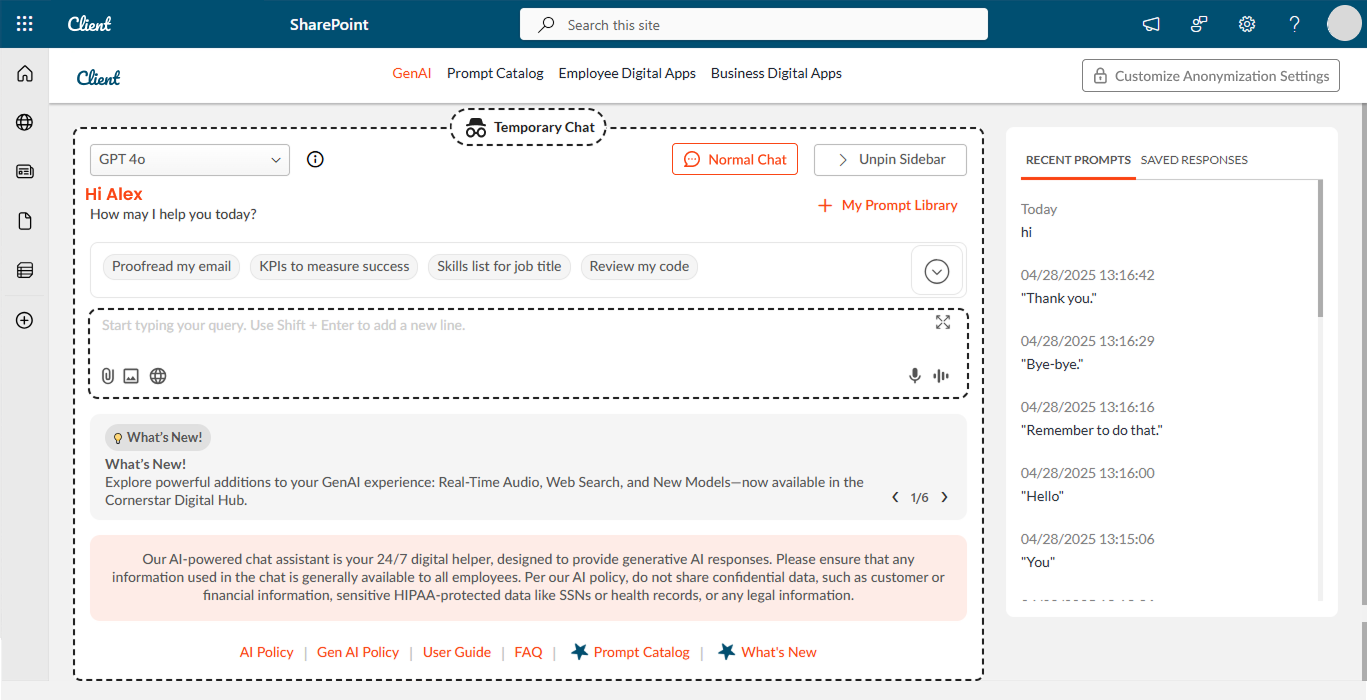
Temporary chat, model selector and the side panel with recent prompts and saved responses.
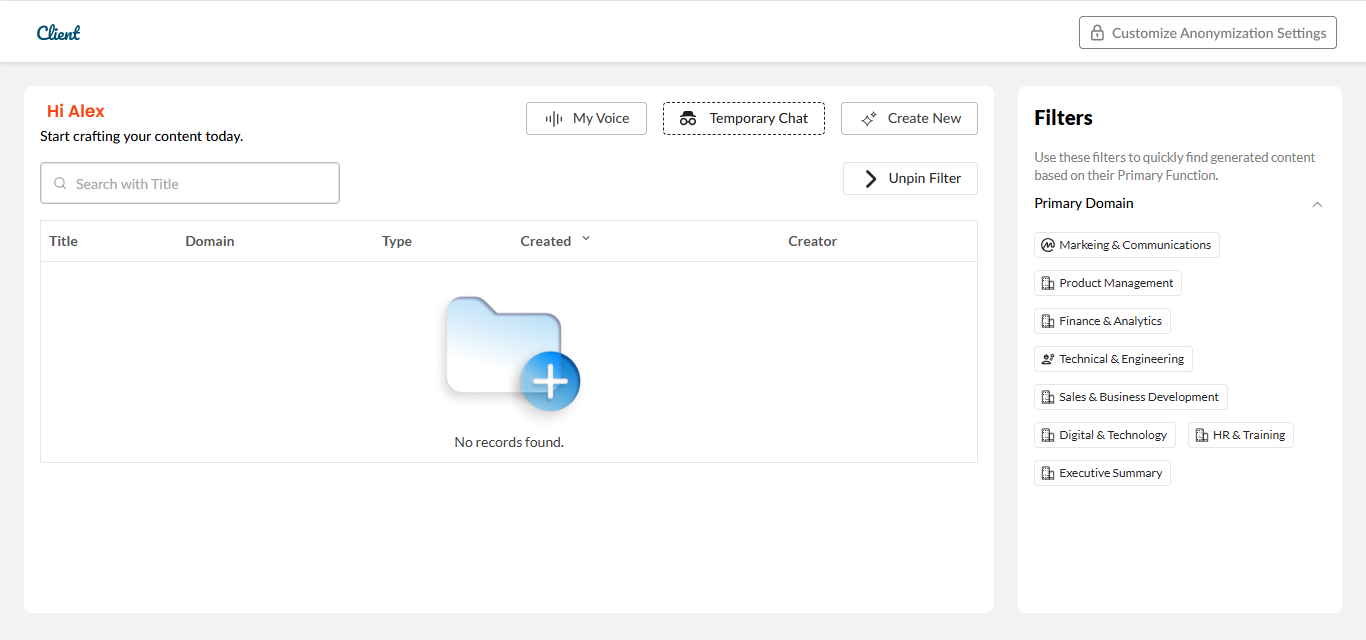
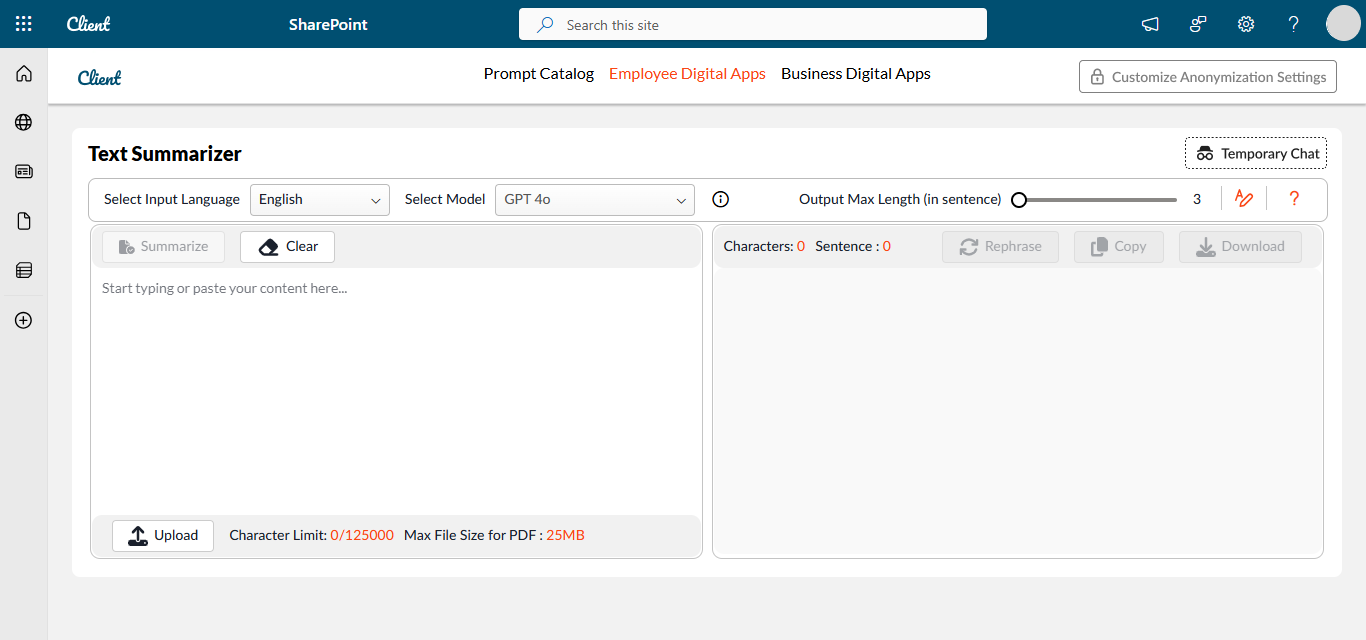
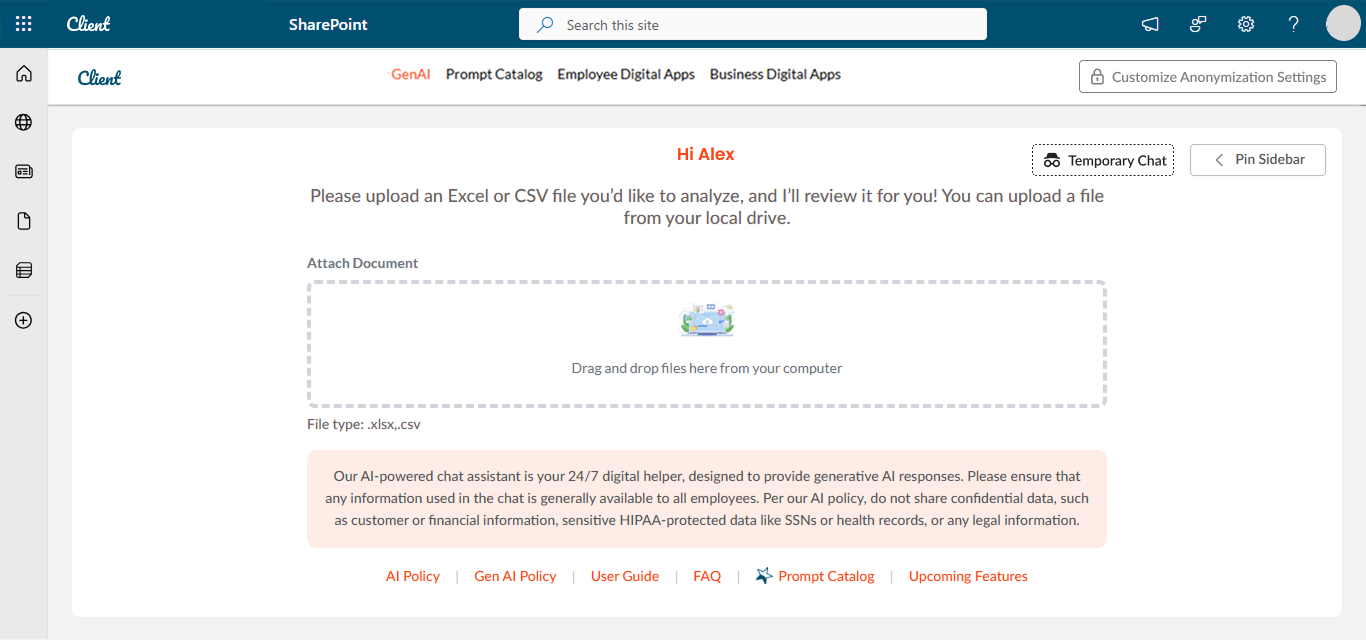
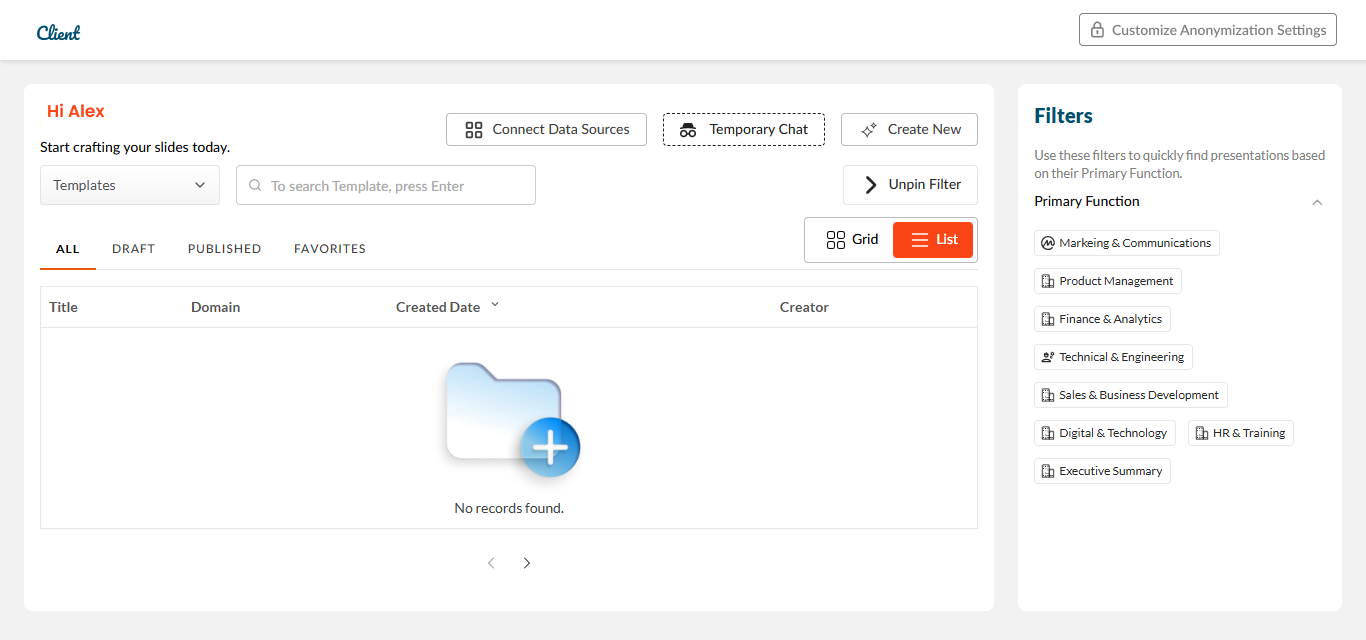
Beyond Figma, I built some of the UI components in React using Visual Studio, as working prototypes for the developer. This let the team see and test the exact behaviour, such as interactions and states, before the real build, and made handoff clearer and faster.
I worked with the PM and developer on scope and delivery, and guided the junior designer through reviews before handoff.
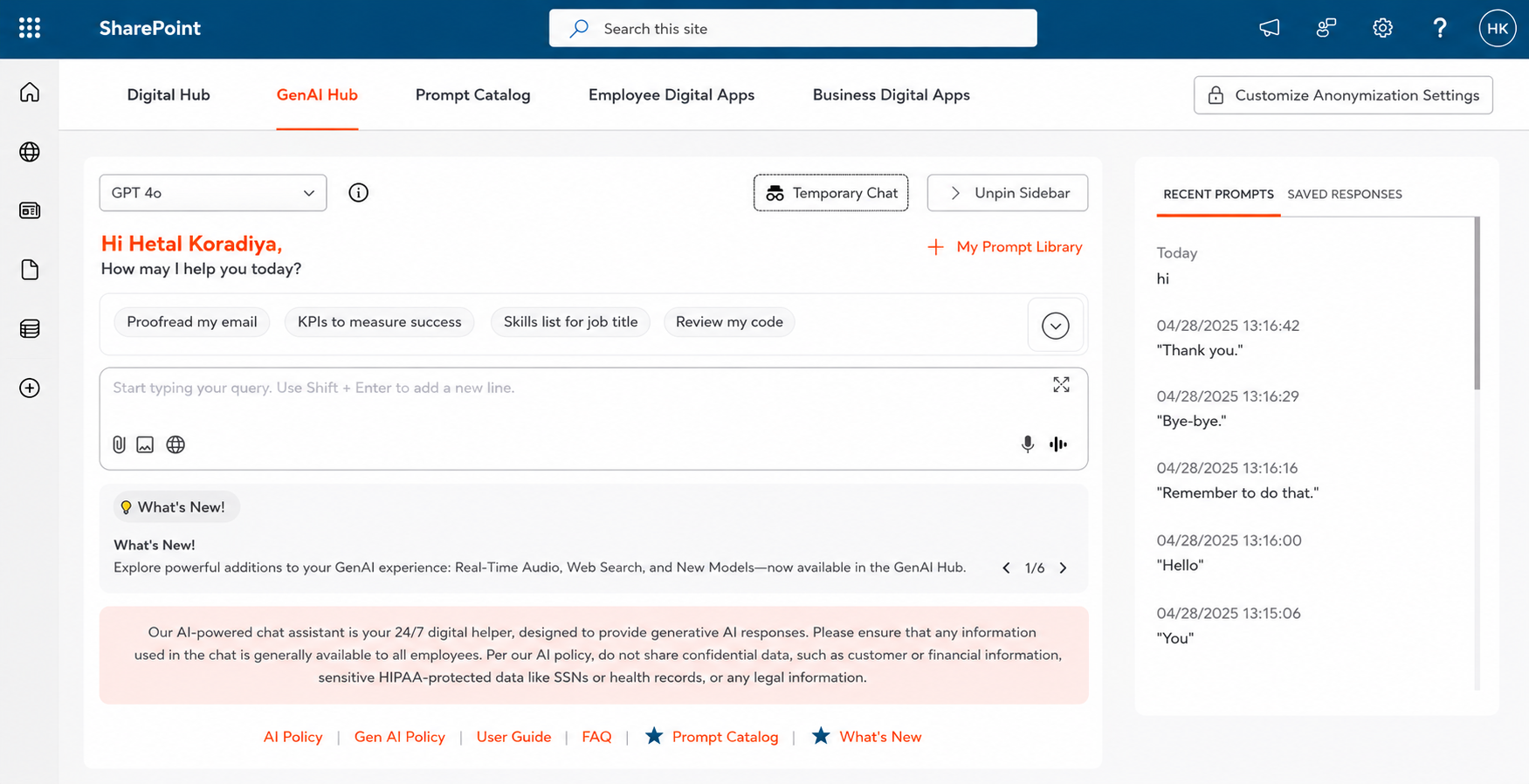
The released experience, delivered with the team.
Outcome
The four tools were designed, built and released. I also presented the AI in design approach to company leadership.