Designing AI Tools That Fit Into Real Workflows, Not Around Them
Designed a suite of enterprise GenAI tools for an Australian enterprise client, helping employees use AI within familiar workflows while addressing privacy, trust and usability.
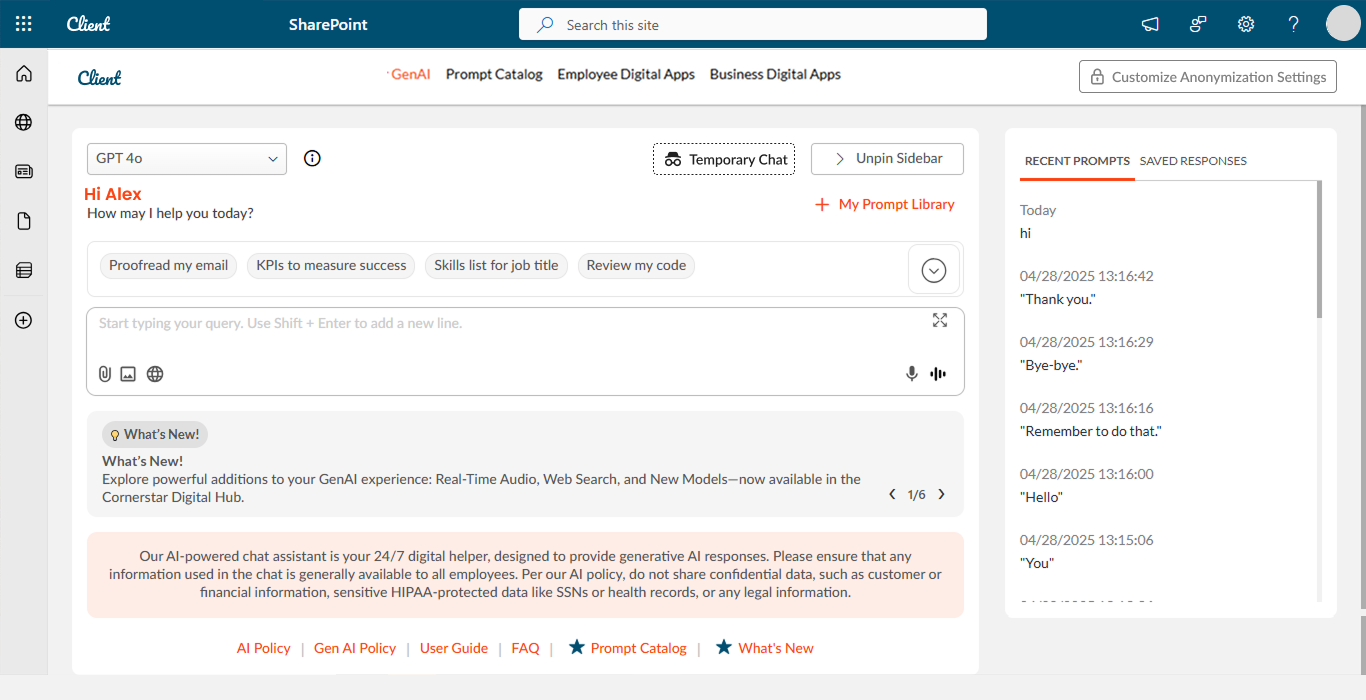
Enterprise GenAI experience integrated into a SharePoint digital workplace.
Project at a glance
Product / UX Designer — collaborated directly with the client, translated requirements into UX flows and high-fidelity designs, and supported implementation with developers.
Anonymized — Australian enterprise client
~1 year
Figma, FigJam, ChatGPT, Claude
Enterprise AI · GenAI UX · Data Privacy & Trust
UX Research · UX/UI Design · Interaction Design · Prototyping · AI-assisted Design
Client · Developers · QA
Delivered — high-fidelity designs, interaction flows, SharePoint implementation support, responsive review and QA collaboration
I collaborated directly with the client to understand requirements, then translated them into wireframes and interaction flows.
I created the high-fidelity UI designs and interactive prototypes, and used AI tools to explore copy, structure and interaction options faster during design.
I worked closely with developers during SharePoint implementation, reviewed responsive behavior across devices, and collaborated with QA during validation.
Powerful AI, but no one trusted it enough to use.
The client wanted to bring generative AI into employees' everyday workflows. The challenge was not simply introducing an AI assistant, but making the experience understandable, useful and safe within an enterprise environment.
Users needed confidence in how AI could be used within their workplace.
Users needed clear, task-oriented ways to understand what the AI could help them accomplish.
Enterprise users needed visibility and control around sensitive information and anonymization.
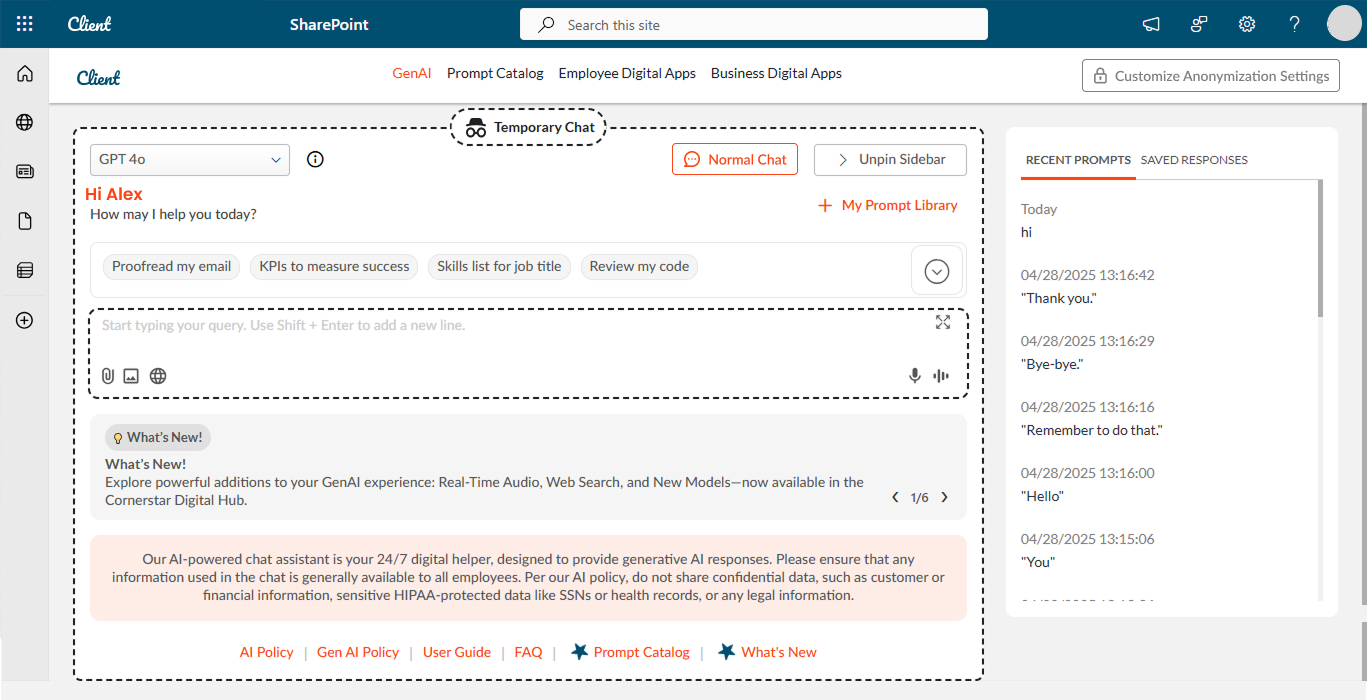
Making privacy and anonymization visible as part of the enterprise AI experience.
From client requirements to a working enterprise experience.
The project started with direct collaboration with the client to understand requirements, expected workflows and the capabilities needed within the enterprise digital workplace.
- Translated requirements into wireframes, interaction flows and high-fidelity UI designs.
- Worked closely with the client throughout the design process.
- Collaborated with developers to support implementation in SharePoint.
- Reviewed responsive behavior across devices and collaborated with QA on inconsistencies.
Designing AI around real work
Rather than treating GenAI as a standalone chatbot, the experience was structured around specific workplace tasks and capabilities.
Give employees clear entry points for common tasks instead of requiring them to know how to prompt a generic AI system.
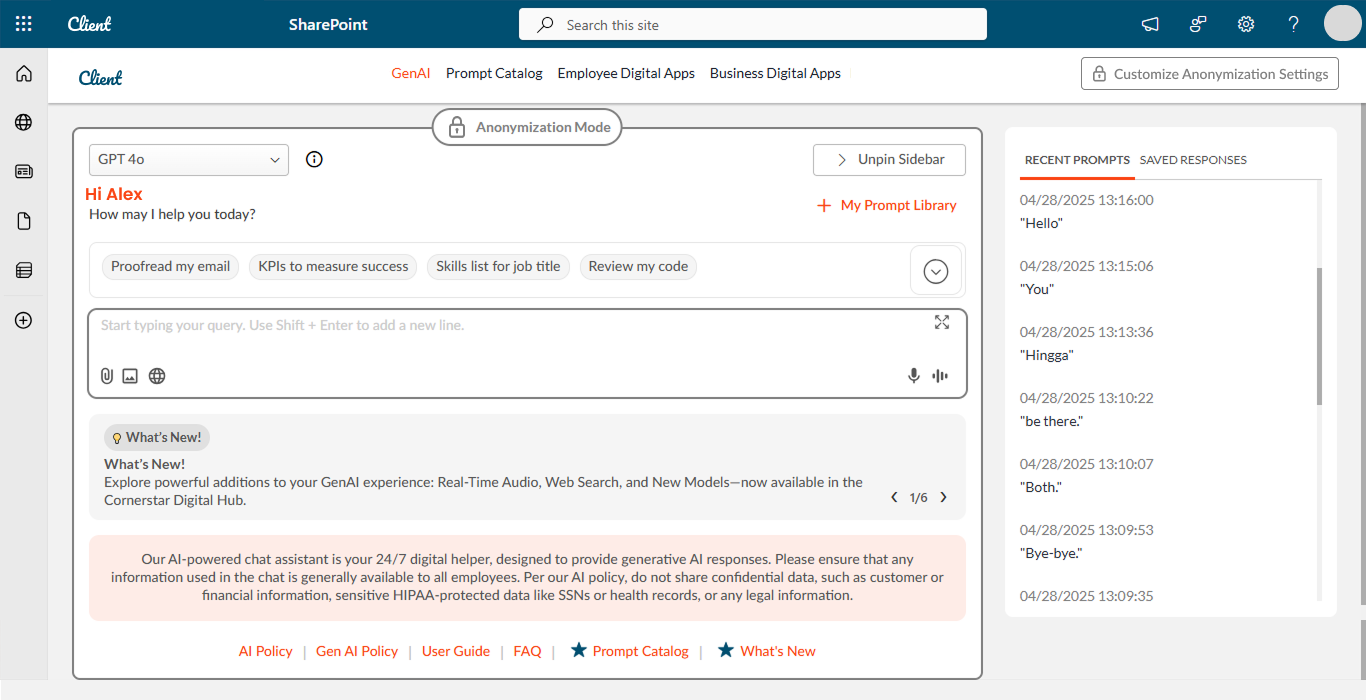
Make anonymization and data protection visible within the experience.
Bring AI capabilities into the existing SharePoint digital workplace rather than forcing users into a separate environment.
A task-based GenAI toolkit built around real enterprise workflows.
The final experience brought multiple AI capabilities together within the enterprise digital workplace, with task-specific experiences designed around different employee needs.
- GenAI Assistant
- Content Assistant
- Text Summarizer
- Excel Analyzer
- PPT Assistant
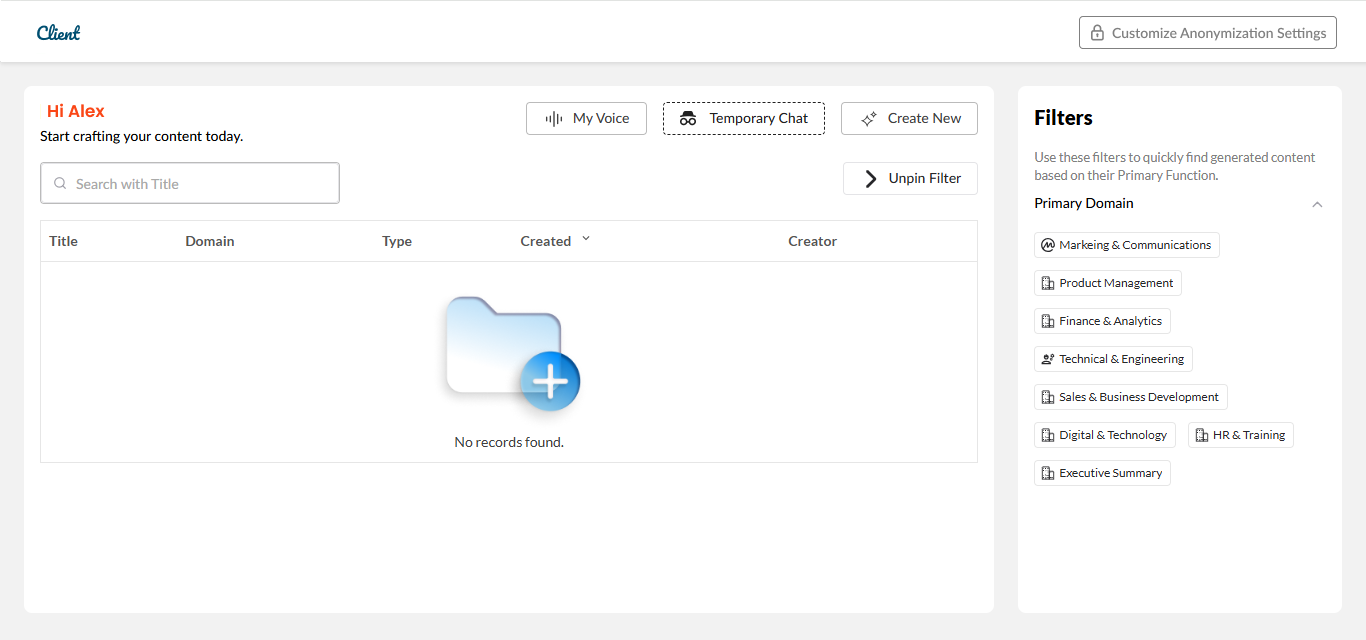
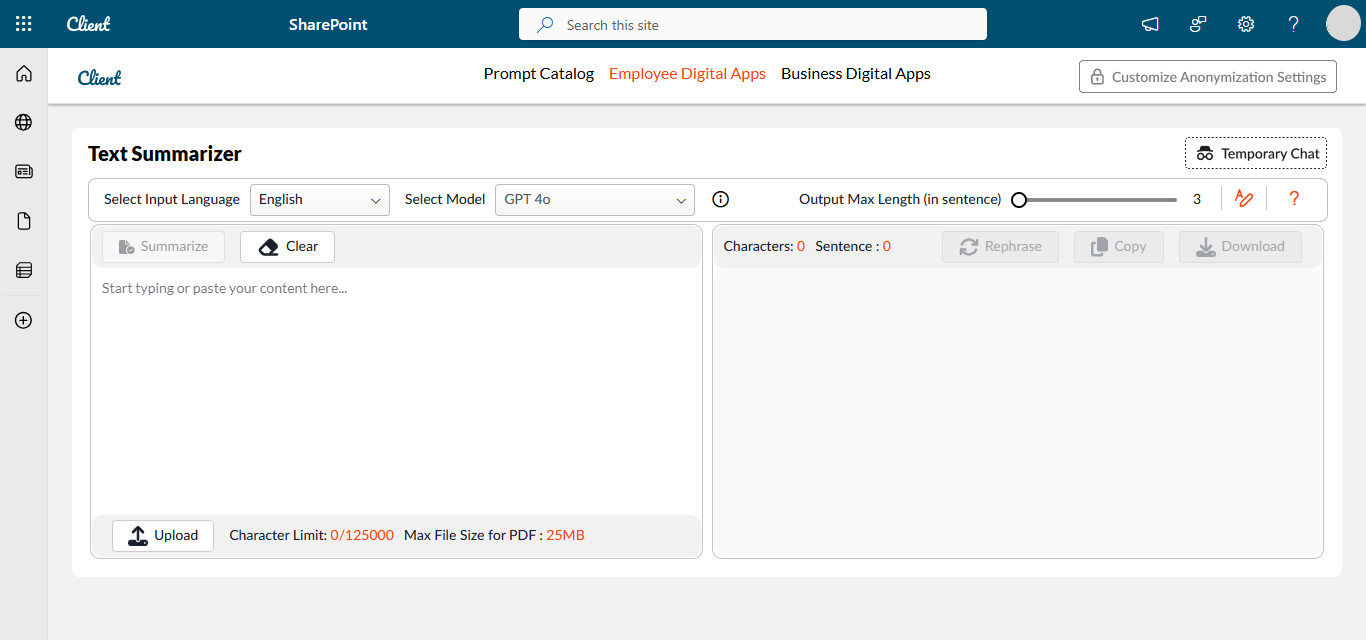
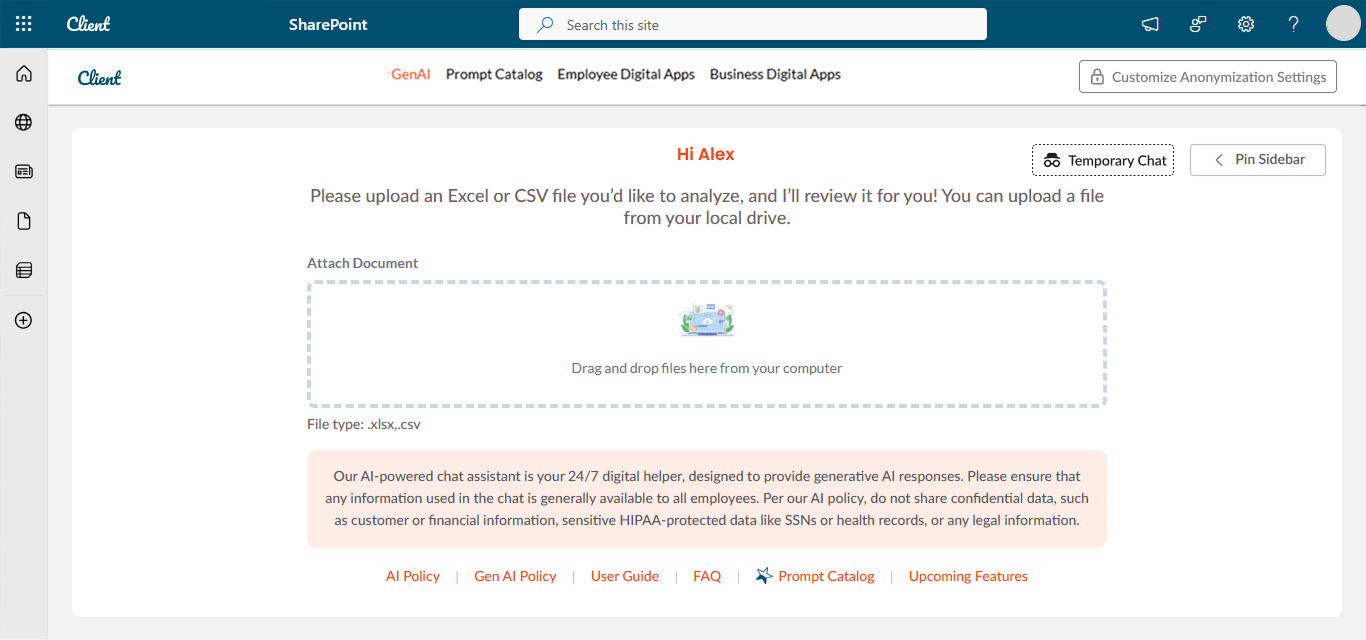
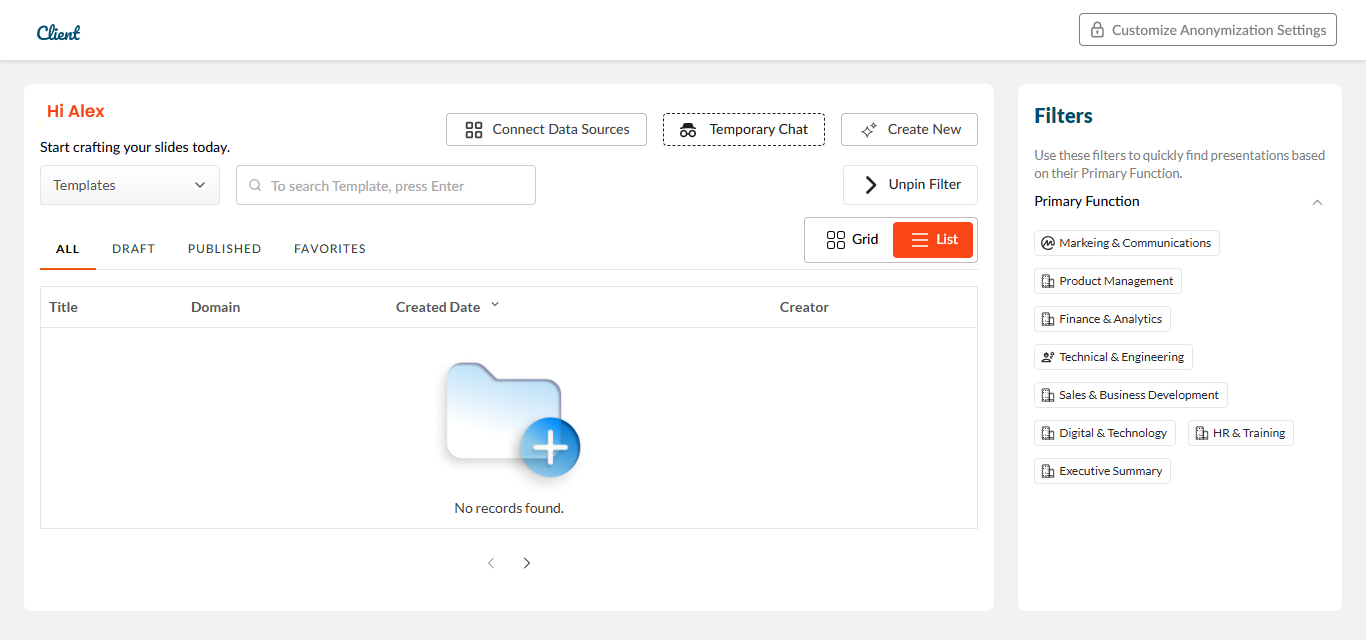
Privacy was part of the experience, not an afterthought.
Anonymization controls were surfaced within the product so that privacy considerations were visible as part of the workflow.
From high-fidelity design to SharePoint implementation
I collaborated closely with developers during implementation, helping translate the approved high-fidelity designs and interaction flows into the SharePoint environment.
During implementation, I clarified interaction behavior, reviewed visual consistency and supported the team in resolving design questions.
Responsive review and QA collaboration
Once the experience moved into implementation, I reviewed the interface across different devices to check responsive behavior and visual consistency.
QA handled functional validation, while I reviewed the implemented experience against the intended designs and interaction patterns and helped identify design inconsistencies.
Delivered a client-defined enterprise GenAI experience from requirements through implementation support.
The project progressed from client requirements and wireframes through high-fidelity UI and interaction design, developer collaboration, SharePoint implementation support, responsive review and QA collaboration.
Enterprise GenAI experience delivered against the client brief and supported through implementation.
Trust UX matters more than raw model quality.
- Users need to understand what an AI capability can do before they can confidently use it.
- Task-specific entry points can make complex AI capabilities easier to approach.
- Privacy becomes part of UX when users can see and understand how sensitive information is handled.
- Designing for enterprise requires close collaboration between clients, designers, developers and QA.